Introduction
Data can be lost through ransomware, hardware failure, system failure, or accidental or intentional destruction. A backup supports recovery by preserving a copy that can be used when the working data is damaged, deleted, encrypted, or otherwise unavailable.
Learning how to back up your data involves more than creating a copy once. Verified guidance from the National Institute of Standards and Technology (NIST) and the Cybersecurity and Infrastructure Security Agency (CISA) emphasizes regular backup creation, careful maintenance, availability and integrity checks, restoration testing, and recovery planning.
The supplied verified sources support these backup fundamentals, but they do not define or explain the 3-2-1 backup rule. This guide therefore does not present a specific 3-2-1 formula as verified. An additional authoritative source would be needed to substantiate that formula.
What a Data Backup Is
NIST defines a backup file as a copy of files and programs made to facilitate recovery. The purpose of the copy is to help restore information or systems after a data-loss event.
A backup is distinct from the original working data. The original is the version normally opened, edited, or used, while the backup is retained for recovery. Merely having another accessible copy does not establish that it is maintained, protected, or usable when needed.
The term “3-2-1 backup rule” is often associated with backup discussions, but none of the supplied verified sources establishes its definition. Its numbers and formula cannot be presented here as verified facts without additional authoritative evidence.
Why Backups Matter
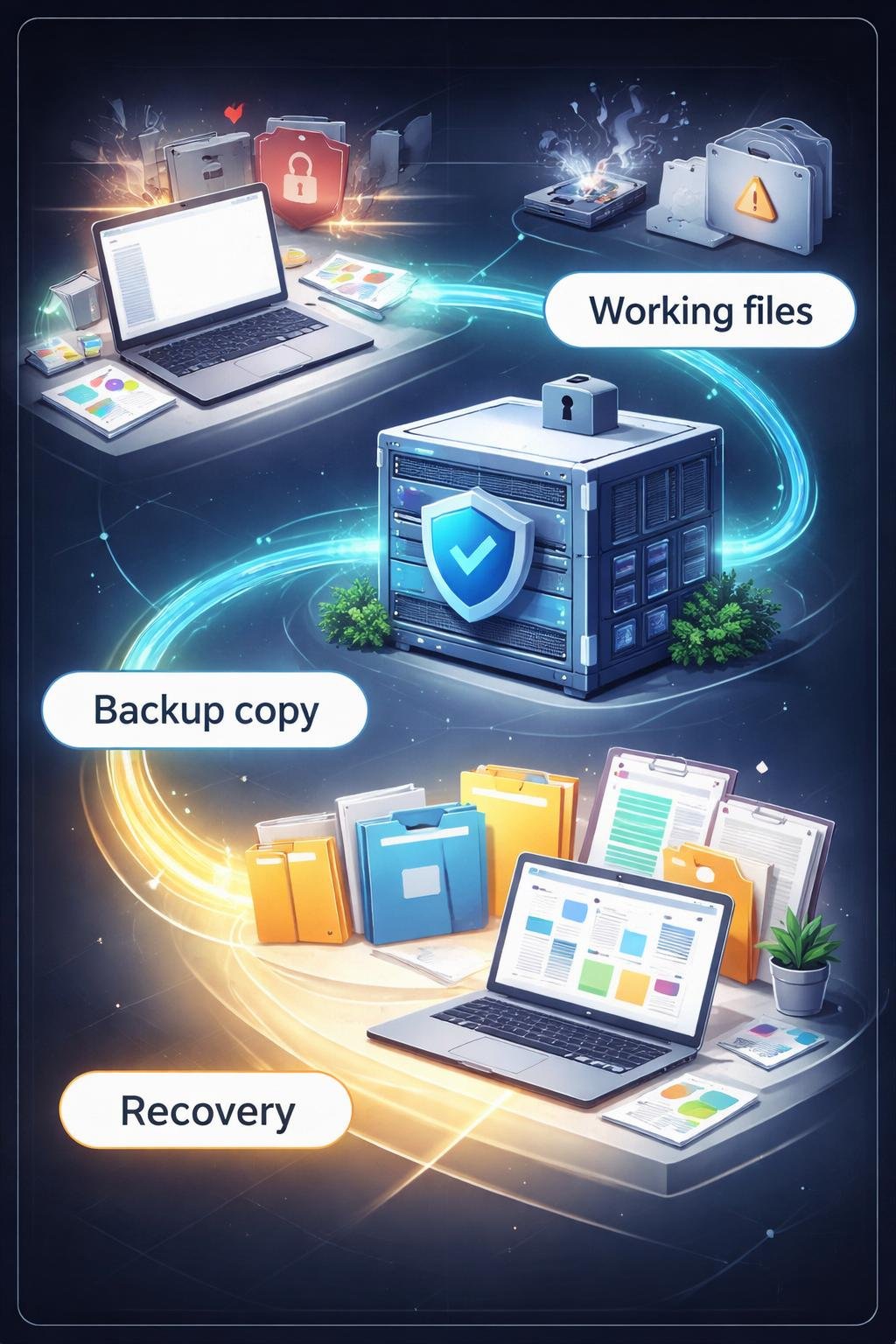
Backups can reduce the consequences of ransomware, hardware failure, system failure, and accidental or intentional data destruction. They do this by providing recovery material rather than by preventing the original incident.
A backup is useful only if it remains available and suitable for restoration. Backup planning must therefore consider where copies are kept, how they are maintained, and whether they can be recovered when the working data is unavailable.
For organizations, backups can also form part of disaster recovery planning. NIST guidance connects backup management with recovery exercises and change management so that recovery preparations continue to reflect changes in systems and data.
How Backup and Recovery Work
The defensive process begins by identifying the files, programs, or other information that must be recoverable. A suitable backup service or product is then selected according to those recovery needs.
Copies should be created regularly rather than treated as a one-time task. Regular creation helps keep recovery material aligned with the information that needs protection, although the appropriate schedule depends on the situation and must be decided by the person or organization responsible for the data.
Backup files must also be maintained. Availability checks determine whether the copies can be accessed when authorized recovery is required, while integrity checks help determine whether the retained information remains intact and suitable for use.
Restoration testing is the step that checks whether data can actually be recovered from a backup. NIST and CISA guidance both support testing backups and restoration procedures rather than assuming that the existence of a copy guarantees recovery.
During an incident, the tested copies and documented restoration procedures can support recovery. This process does not establish a particular 3-2-1 formula, but it does establish the importance of regular creation, protection, maintenance, and testing.
Key Parts of a Reliable Backup Plan
- Defined recovery needs: Identify the data, programs, or system material that would be needed after a loss event.
- Appropriate backup services or products: Select a method that can preserve the required material and support its recovery without assuming unsupported product features.
- Regular backup creation: Create copies repeatedly according to the recovery needs of the data or system.
- Offline copies: Keep important backup material unavailable to ransomware that might otherwise reach and alter accessible copies.
- Encrypted copies: Use encryption to protect critical backup data, while securely retaining the authorized information needed for recovery.
- Availability and integrity checks: Confirm that backup files can be reached by authorized users and remain suitable for restoration.
- Restoration testing: Test the process for recovering data instead of relying only on a successful backup-creation message.
- Recovery exercises: Review backups as part of a broader recovery exercise so that people understand how the restoration process is expected to work.
- Disaster recovery planning: Decide how backup material will be used when normal systems or working data are unavailable.
- Change management: Review backup arrangements when systems, configurations, programs, or recovery needs change.
CISA notes that multi-cloud or immutable storage may add resilience in organizational settings. Neither option guarantees successful recovery, and any implementation must be evaluated using current official documentation.
Everyday Backup Examples
Hypothetical example: Important personal files
A beginner identifies family documents and personal photographs as information that would be difficult to replace. The person chooses a backup method, creates copies regularly, and checks that selected files are present and available for authorized recovery.
Hypothetical example: A copy unavailable to ransomware
A person creates an encrypted backup on storage that is then kept offline. Because the copy is not left continuously accessible, the example illustrates CISA’s guidance about using offline backups to reduce the risk that ransomware can delete or encrypt every available copy.
Hypothetical example: A restoration check
A beginner safely selects a small set of non-sensitive test files and follows the backup method’s current official instructions to restore them to an appropriate location. The person then checks whether the restored files are available and usable. This is a conceptual example, not a report of a real product test.
Benefits and Limitations of Backups
The main benefit of a backup is recovery support. Maintained and usable copies can reduce the consequences of data destruction, equipment failure, system failure, or ransomware by providing material from which data or systems may be restored.
Backups have important limitations. A copy may not help if it is inaccessible, corrupted, outdated, incomplete, or never tested. A backup that ransomware can access may also be at risk of deletion or encryption.
Backups do not prevent the initial attack, stop phishing, remove malware, or guarantee that a device will remain operational. They are a recovery preparation measure and must be combined with other appropriate security practices.
No backup design guarantees complete protection or successful recovery in every situation. Its usefulness depends on what was copied, how the copies were protected and maintained, and whether restoration procedures work when needed.
Common Backup Misunderstandings
“Creating one copy is enough.”
A copy that is not maintained may become outdated or unavailable. Verified guidance emphasizes creating backups regularly and ensuring that backup files remain useful when recovery is required.
“An accessible backup is automatically safe.”
A backup that remains accessible to affected systems may be exposed during a ransomware incident. CISA therefore recommends maintaining offline backups of critical data as part of ransomware resilience.
“Testing is optional if the backup completed.”
Backup creation and successful restoration are not the same activity. Availability, integrity, and restoration procedures should be tested so that problems can be identified before an actual recovery is required.
“Backups provide complete security.”
Backups support recovery but do not prevent phishing, malware infection, equipment failure, or unauthorized activity. No backup or wider security measure offers complete protection.
“The supplied sources verify the 3-2-1 rule.”
They do not. The supplied NIST and CISA sources support regular, protected, maintained, and tested backups, but none establishes or explains the 3-2-1 backup formula.
DigiNana Beginner Guide

Hypothetical educational scenario: DigiNana is a fictional guide helping a beginner organize a basic recovery plan. This story illustrates verified backup practices but is not a real product evaluation or recovery test.
DigiNana first asks the beginner to identify critical files that would need to be recovered after a device or data-loss incident. The beginner chooses personal documents and photographs without sharing passwords, encryption credentials, authentication codes, or other secrets.
Next, the beginner selects an appropriate backup method using its current official documentation. Copies are created regularly so that recovery does not depend on a single old copy.
The scenario also includes an encrypted copy that is kept offline when it is not needed. This demonstrates the verified recommendation to maintain offline, encrypted backups of critical data without attributing an unsupported 3-2-1 formula to NIST or CISA.
Finally, the beginner performs a safe restoration check with selected non-sensitive test files in an appropriate location. The check confirms whether those files can be recovered, while recognizing that one successful test does not guarantee every future restoration.
Practical Tips
- Decide what needs recovery. List the files, programs, or system material that would be important after a loss event.
- Select an appropriate method. Review current official documentation when choosing a backup service, product, or storage approach.
- Create backups regularly. Choose a schedule that reflects how often important information changes and how much recent work you need to recover.
- Maintain an offline copy of critical data. Keep it unavailable to systems that ransomware could otherwise reach.
- Encrypt critical backup data. Protect the authorized recovery information needed to use the encrypted copy, and never disclose passwords or recovery codes.
- Check availability and integrity. Confirm that authorized recovery access works and that retained information remains suitable for restoration.
- Test restoration safely. Use selected test material and an appropriate restoration location rather than waiting for an emergency.
- Review recovery procedures. Make sure the necessary steps and resources are understood before a data-loss event occurs.
- Reassess the plan after changes. Review backups when systems, programs, configurations, or important data change.
- Verify current details. Consult official documentation because software interfaces, features, protective measures, and service availability can change.
This checklist supports practical recovery preparation without guaranteeing that every incident can be prevented or resolved.
Backup Safety, Privacy, and Ransomware Resilience
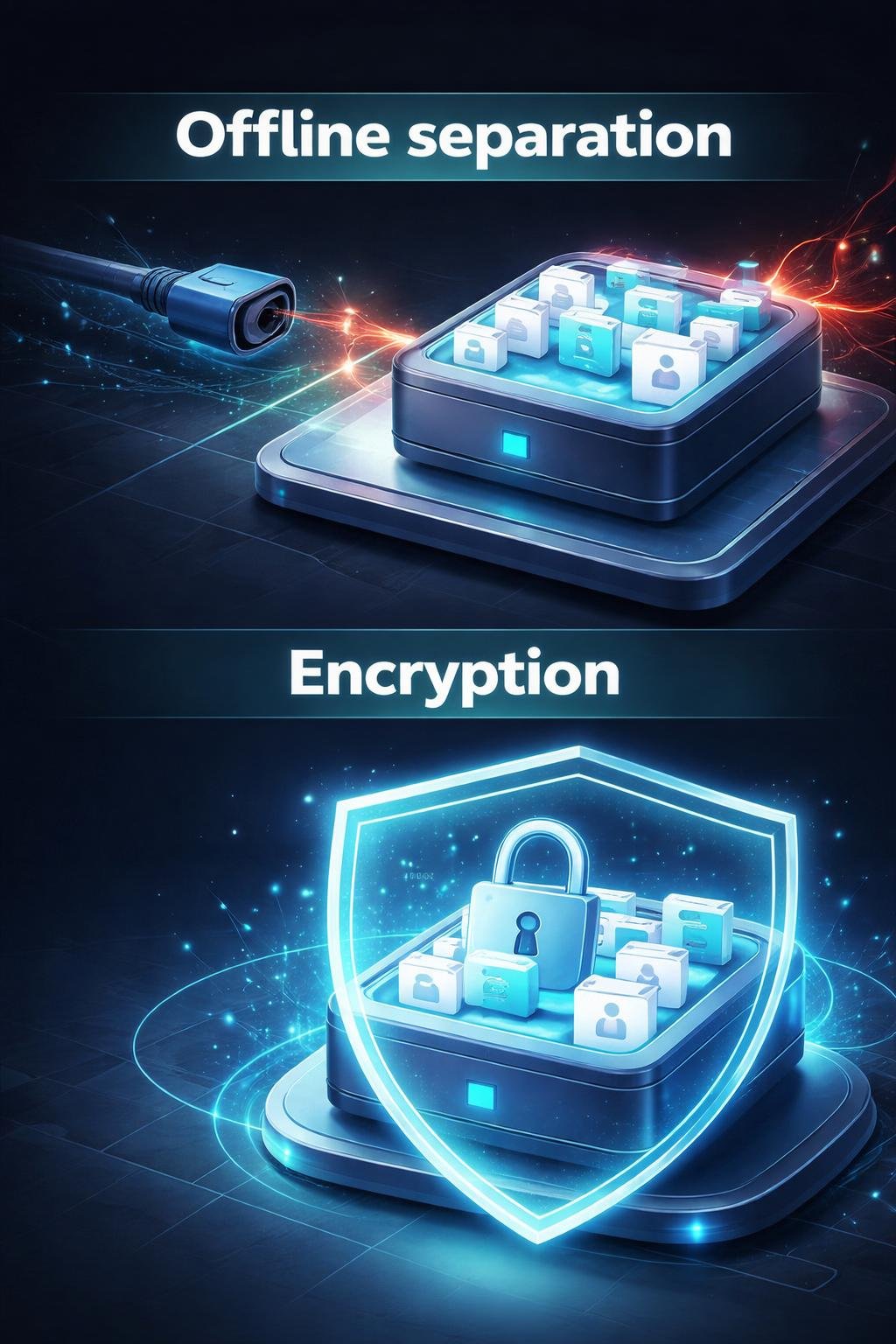
Offline storage helps protect a backup by making it unavailable to ransomware that could delete or encrypt accessible copies. “Offline” means that the backup is not left continuously accessible to the systems or networks exposed to the incident.
Encryption helps protect the confidentiality of backup data. An encrypted copy must still remain recoverable by an authorized person, so the information needed for legitimate recovery must be protected without being shared publicly or entered into untrusted requests.
Restoration procedures should be tested safely. Use current official instructions, appropriate test material, and a suitable restoration location so that a check does not unnecessarily overwrite working data.
Backup preparation is different from attack prevention. Backups can support recovery after ransomware or another loss event, but phishing awareness, malware prevention, account protection, and other defensive measures address different parts of the risk.
Unexpected messages that request passwords, authentication codes, encryption credentials, or recovery information should not be treated as part of a normal backup process without independent verification. Legitimate recovery planning should never require publishing or casually sharing such secrets.
Frequently Asked Questions

What counts as a data backup?
A backup is a copy of files and programs made to facilitate recovery. It should be retained and maintained for recovery rather than treated only as the original working data.
Why should backups be created regularly?
Regular creation helps ensure that recovery material reflects changes to important information. The appropriate timing depends on the data and recovery needs rather than on an unsupported universal schedule.
Why is restoration testing important?
Testing checks whether backup data is available, intact, and usable through the restoration procedure. The existence of a copy alone does not demonstrate that recovery will work.
What is an offline backup?
An offline backup is a copy that is not left continuously accessible to systems or networks that could be affected. CISA recommends offline backups because ransomware may delete or encrypt copies it can reach.
What is an encrypted backup?
An encrypted backup is protected using encryption. Authorized recovery still depends on securely retaining the required access information and following the applicable current instructions.
Do backups stop ransomware?
No. Backups are a recovery measure and do not prevent ransomware from reaching a device or system. Offline, encrypted, and tested copies can improve recovery preparation, but they do not guarantee protection.
Do the supplied sources verify the 3-2-1 backup rule?
No. The supplied sources verify backup practices such as regular creation, offline and encrypted copies, maintenance, testing, and recovery exercises, but they do not define or explain the 3-2-1 formula.
Final Takeaway

Effective backups are created regularly, maintained carefully, kept available and useful for authorized recovery, and tested through restoration checks or recovery exercises. Planning should also consider disaster recovery and changes to the systems or information being protected.
Offline, encrypted backups of critical data can add resilience against ransomware, especially when accessible copies might be deleted or encrypted. These protections still require availability and integrity checks, safe handling of recovery information, and tested restoration procedures.
The supplied verified sources do not define the 3-2-1 backup rule. An authoritative source specifically addressing that rule is still needed before its formula can be presented as verified guidance.
References
- Protecting Data from Ransomware and Other Data Loss Events: A Guide for Managed Service Providers to Conduct, Maintain, and Test Backup Files | CSRC — https://csrc.nist.gov/pubs/other/2020/04/24/protecting-data-from-ransomware-and-other-data-los/final.
- NCCoE Two-Pager Now Available: Effective OT Backup Management | NIST — https://www.nist.gov/news-events/news/2026/06/nccoe-two-pager-now-available-effective-ot-backup-management.
- #StopRansomware Guide | CISA — https://www.cisa.gov/stopransomware/ransomware-guide.
- SP 1339, OT Backup Quick Start Guide | CSRC — https://csrc.nist.gov/pubs/sp/1339/final.
Image Credits
The five DigiNana Wiki visuals accompanying this article are original educational illustrations created with AI assistance. They are conceptual illustrations and must not be interpreted as verified photographs, exact software interfaces, actual device specifications, or guaranteed technical configurations.
Disclaimer
This article provides general educational information. Security threats, software interfaces, product features, protective measures, technical information, and service availability can change over time. Verify important operational details using current official documentation before selecting or changing a backup process.
No backup or security method guarantees complete protection, prevention, data availability, or successful recovery in every situation.