Introduction
If you have wondered what is a computer network, it is a group of connected computing devices that can exchange information and share resources. Networks make many familiar activities possible, from sending a file to another computer to using a shared printer or Internet connection.
A network can connect devices through cables, wireless links, or a combination of both. Understanding the basic parts of a network makes it easier to see how data travels and why a connection may depend on several different devices.
What Is a Computer Network?
A computer network consists of two or more computing devices connected through wired or wireless links. The connection allows the devices to exchange information or share resources such as files, storage, printers, services, and connectivity.
A device is equipment that can participate in the network, such as a computer, phone, printer, server, or Internet of Things device. A device participating in a network may also be called a node.
A link is the wired or wireless connection over which data travels. A protocol is an agreed set of communication rules. Devices need compatible protocols so that they can send, receive, and interpret data correctly.
Why Computer Networks Matter

Networks let people and devices share information and resources rather than keeping everything isolated on one machine. Network users may exchange files, communicate, collaborate, and access services provided by other connected systems.
A network can provide access to centralized storage, where files are held in a shared location rather than only on individual devices. It can also connect several computers to a shared peripheral, such as a network printer.
Routers can connect a local network to other networks and allow connected devices to share an Internet connection. A network does not need Internet access to function, however; devices on a local network may still exchange data and use shared resources.
How a Computer Network Works
- A device joins through a link. It may use a cable or connect wirelessly through a wireless access point.
- The devices follow communication protocols. These agreed rules govern how data is prepared, sent, received, and interpreted.
- The network identifies participants. Nodes can use identifiers such as Internet Protocol addresses, usually called IP addresses, or Media Access Control addresses, usually called MAC addresses.
- Data may be divided into packets. A packet is a manageable unit of data sent across a network. The information can be reconstructed at its destination.
- Network devices forward the packets. A switch can move data between nodes within a network, while a router can forward packets between different networks.
- The destination receives the data. The receiving device uses the relevant protocols to process the packets and reconstruct the transmitted information.
Transmission Control Protocol/Internet Protocol, commonly called TCP/IP, is a group of communication protocols associated with network communication. The Domain Name System (DNS) is used in the process of relating names to network addressing, while ports help network communication reach the relevant service on a device. These concepts work alongside addressing and routing rather than replacing them.
Key Network Components and Their Roles
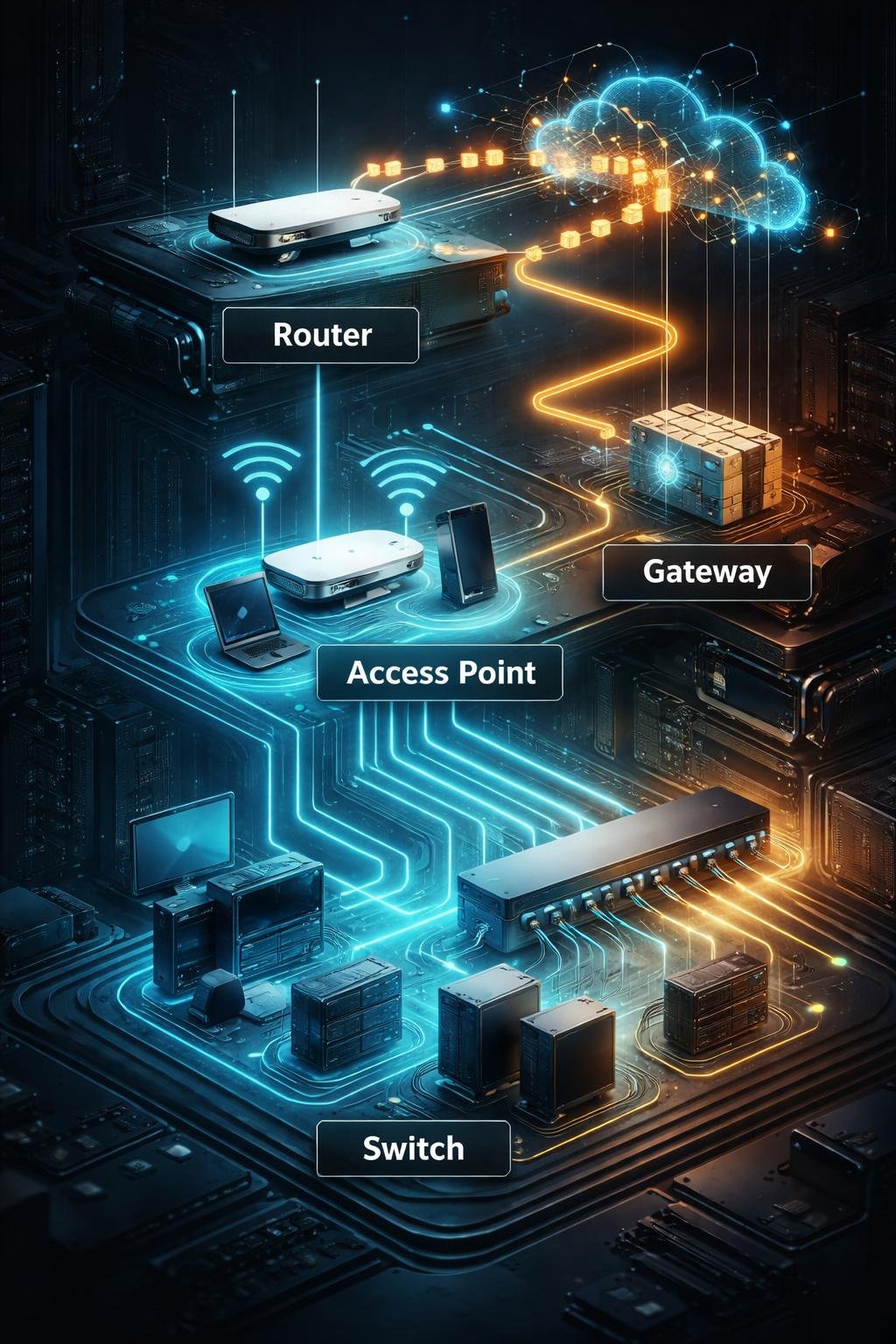
| Component | Basic role |
|---|---|
| Computer or phone | Sends, receives, or uses data and network services. |
| Printer | Can provide a printing resource to connected devices. |
| Server | Provides or manages resources and services for client devices. |
| Internet of Things device | Participates in a network to exchange information or use services. |
| Switch | Connects devices and moves data between nodes within a network. |
| Router | Connects different networks and forwards packets between them. |
| Wireless access point | Lets devices connect to a network without a cable and can extend wireless network access. |
| Gateway | Translates between incompatible networks or protocols when translation is needed. |
These roles can be related but are not identical. For example, an access point supplies a wireless path into a network, a switch links devices within a network, and a router moves traffic between networks. The exact arrangement depends on the network design.
Network Types and Structures
A wired network carries data over physical links, while a wireless network uses wireless links. One network can include both connection methods, such as computers connected by cables and phones connected through an access point.
A network type describes the kind or scope of network being used. A topology describes how nodes and network connections are arranged. These concepts help explain the structure through which data and resources are made available.
Networks can also differ in how they manage resources. In a peer-to-peer network, devices can share resources such as storage, memory, bandwidth, or processing power directly with one another.
In a client-server network, central servers manage resources or provide services to client devices. A client is a device or program requesting access to a service. Peer-to-peer and client-server arrangements therefore organize shared resources in different ways.
Everyday Examples of Computer Networks
Illustrative example: A household connection. Several computers and phones join a household network and use a router to reach another network, including an available Internet connection.
Illustrative example: A shared printer. Multiple computers connect to the same network and send print jobs to a networked printer instead of requiring a separate printer for every computer.
Illustrative example: Shared files. Users on client devices access files stored on a server that provides centralized storage.
Illustrative example: Wireless access. A phone or laptop connects through a wireless access point. The access point links the wireless device to the rest of the network.
Benefits and Limitations of Computer Networks
Benefits
- Devices can exchange information and support communication and collaboration.
- Users can share files, storage, printers, and other resources.
- Central servers can manage resources and provide services to client devices.
- Multiple devices can share connectivity to another network, including an Internet connection.
- Wired and wireless links can support different ways of joining the same network.
Limitations and trade-offs
- Communication depends on the relevant links and network devices functioning as needed.
- Devices require compatible communication protocols to exchange usable data.
- A problem involving an access point, switch, router, server, or link can affect the resources reached through that part of the network.
- The network structure must suit the devices, links, and resources it is intended to connect.
- Wired and wireless arrangements use different connection methods, so setup and troubleshooting checks are not always the same.
A network provides a path for communication, but its practical behavior depends on its components, protocols, and design.
Common Network Misunderstandings
A local network is not the same as the Internet
A local network connects nearby or organizational devices and resources. The Internet connects networks. A local network can continue to support local file or printer sharing even when it does not have Internet access.
Not every network connection is wireless
Networks can use wired links, wireless links, or both. Wi-Fi-style wireless access is one way to join a network, not the definition of networking itself.
A switch and a router do different jobs
A switch moves data among nodes within a network. A router connects networks and forwards packets between them. Both can be involved in the same communication path.
A physical connection is not enough by itself
Devices must also follow compatible communication protocols. Without communication rules understood by the participants, a cable or wireless link alone does not produce a useful data exchange.
Not all networks manage resources in the same way
Peer-to-peer networks allow devices to share resources directly. Client-server networks use central servers to manage resources or provide services to clients.
DigiNana Beginner Guide
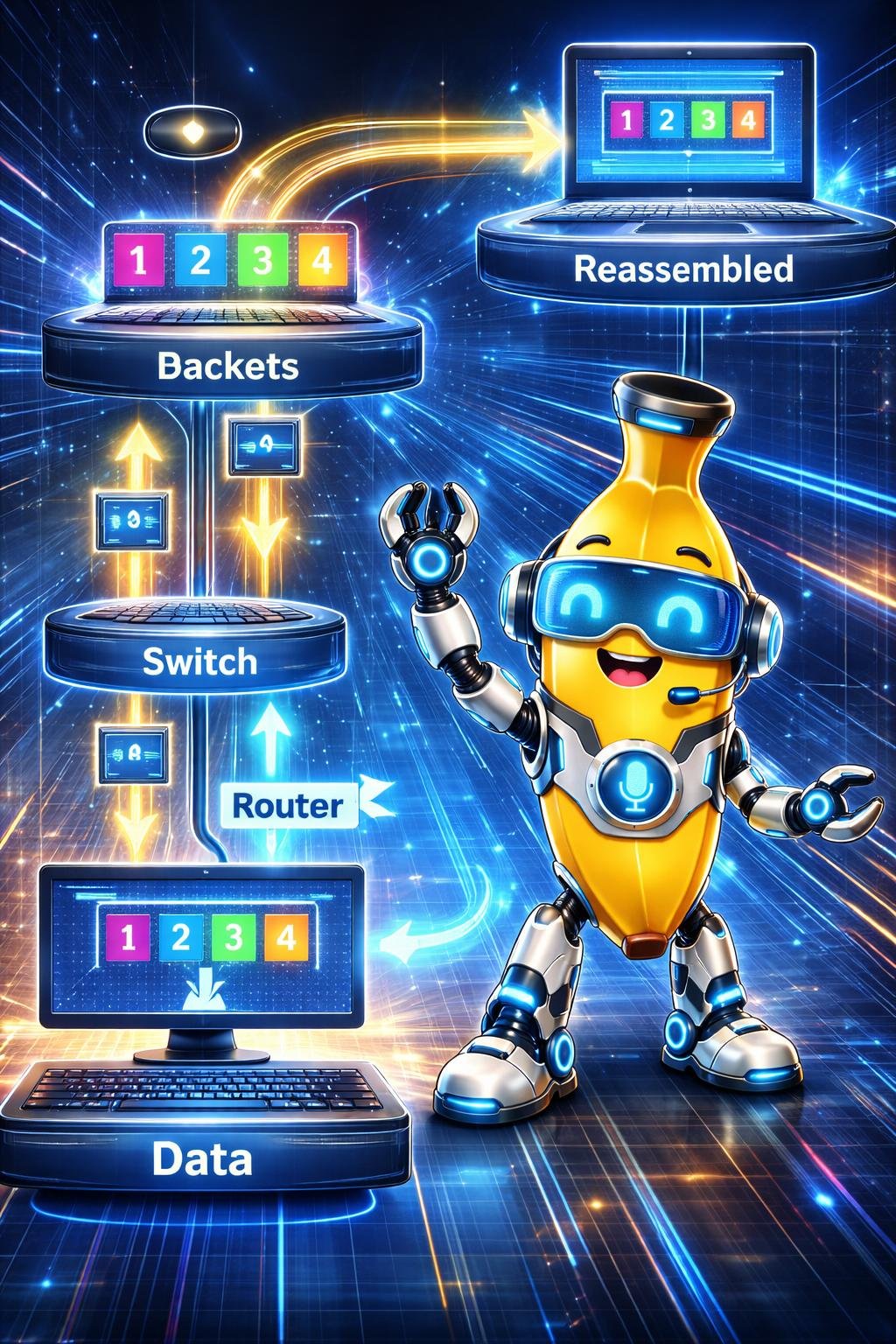
Hypothetical educational example: DigiNana wants to send a document from a wireless laptop to a network printer. This walkthrough is fictional and illustrates the roles of common network components; it is not a report of a real device test.
- The laptop connects wirelessly through an access point. The access point provides the laptop with a path into the network.
- The laptop and printer use network identifiers, such as IP or MAC addresses, as part of identifying network participants.
- The devices follow compatible protocols so that the document data and related instructions can be communicated.
- The document data may be divided into packets for transmission.
- A switch can move the data within the local network toward the printer.
- The printer receives the data and processes it according to the relevant protocols.
If the printer were on a different network, a router could be involved in forwarding packets between the networks. A gateway would be relevant if communication required translation between incompatible networks or protocols. The exact path would depend on the network’s actual design.
Practical Tips
- Identify the connection type. Check whether the device uses a cable or a wireless connection.
- Confirm the intended network. A device connected to the wrong network may not reach the expected local resource.
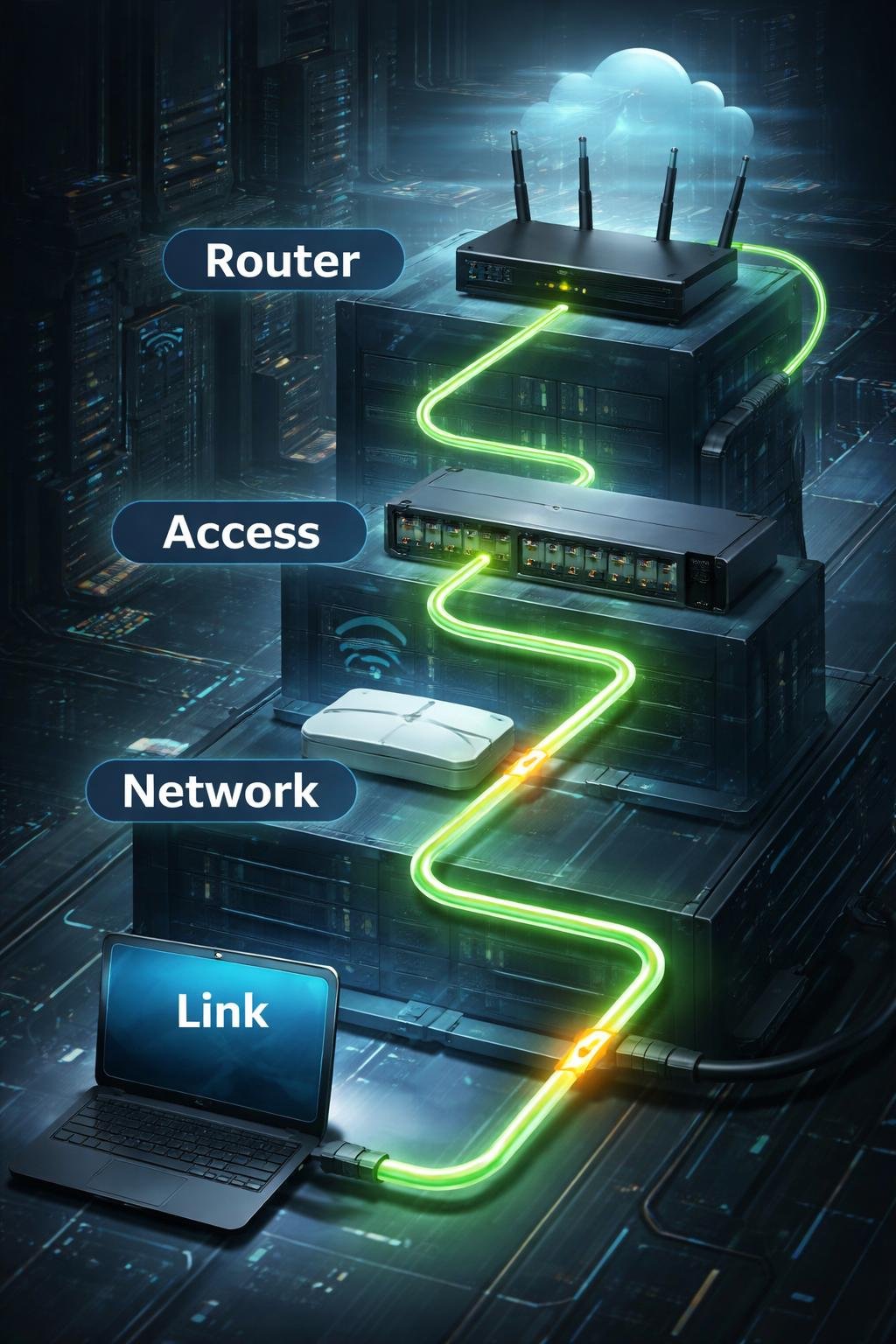
- Check the relevant network path. For a wireless device, consider the access point. For devices connected within a wired network, consider the links and switch. For access between networks, consider the router.
- Separate local access from Internet access. Test whether the issue concerns a local resource, another network, or both.
- Check the resource itself. A shared printer, server, or other destination must be available through the network for devices to use it.
- Use current official instructions. Device menus, configuration steps, and available features can vary, so consult the current documentation for the relevant equipment or software.
These checks can help identify which part of the connection deserves attention, but they do not guarantee that every network problem can be resolved without additional technical support.
Frequently Asked Questions
What counts as a computer network?
Two or more computing devices connected so that they can exchange information or share resources constitute a network.
Does a network require Internet access?
No. Devices can communicate and share local resources without an Internet connection. The Internet is a connection among networks rather than a requirement for every local network.
How are wired and wireless networks different?
They use different kinds of links. Wired connections use physical cables, while wireless connections allow devices to join without a cable. A network can contain both.
What is the difference between a router and a switch?
A switch moves data between nodes within a network. A router forwards packets between different networks.
Why do network devices need identifiers and protocols?
Identifiers help distinguish network participants. Protocols provide the agreed communication rules devices use to transmit and interpret data.
What is a packet?
A packet is a unit into which data may be divided for transmission across a network. The receiving destination can reconstruct the transmitted information.
How do devices share files or other resources?
Devices can share resources directly in a peer-to-peer arrangement or access resources and services managed by a central server in a client-server arrangement.
Final Takeaway

A computer network connects computing devices so they can exchange data and share resources. Wired or wireless links provide the connection, protocols supply communication rules, and identifiers help distinguish participating nodes.
Data may travel as packets through switches, routers, access points, and, when translation is required, gateways. The way resources are managed also matters: peer-to-peer networks support direct sharing, while client-server networks use central servers to provide or manage services.
References
- Fundamentals of computer networking – Training | Microsoft Learn
- Networking Basics: What You Need To Know – Cisco
- What Is Computer Networking? | IBM
Image Credits
The five DigiNana Wiki visuals accompanying this article are original educational illustrations created with AI assistance. They are conceptual learning aids and must not be interpreted as verified photographs, exact software interfaces, actual device specifications, or guaranteed technical configurations.
Disclaimer
This article provides general educational information. Technical interfaces, software and product features, security conditions, and service availability can change and may differ among devices, products, and platforms. Check current official documentation when you need accurate, device-specific, security-sensitive, or operationally important details.