
Introduction
A common beginner question is “what is a VPN,” especially when learning how information can be protected while crossing the Internet. A virtual private network, or VPN, creates a logical network over existing network infrastructure and uses security controls to support secure communication.
VPNs are relevant when data or control information must travel between networks or individual network nodes over a public network. They can reduce communication risks, but they do not provide complete protection against every networking, security, or privacy risk.
What a VPN Is
A virtual private network is a restricted-use logical or virtual network built over an existing physical or public network, such as the Internet. A logical network is an arrangement created through networking technology rather than a separate set of physical cables reserved for one user.
A VPN can provide secure communication between networks or nodes. A node is a device or another connection point on a network. Although a VPN can create the impression of a dedicated line, it is not necessarily a dedicated physical connection.
Why VPNs Matter

Information sent between networks may need protection while it crosses public infrastructure. VPN security controls can protect data and the control information used to manage communication between connected networks or nodes.
This protection can mitigate risks when sensitive information is transmitted across networks. However, a VPN reduces networking risks rather than eliminating them, so it should not be treated as a complete security or privacy solution.
How a VPN Works
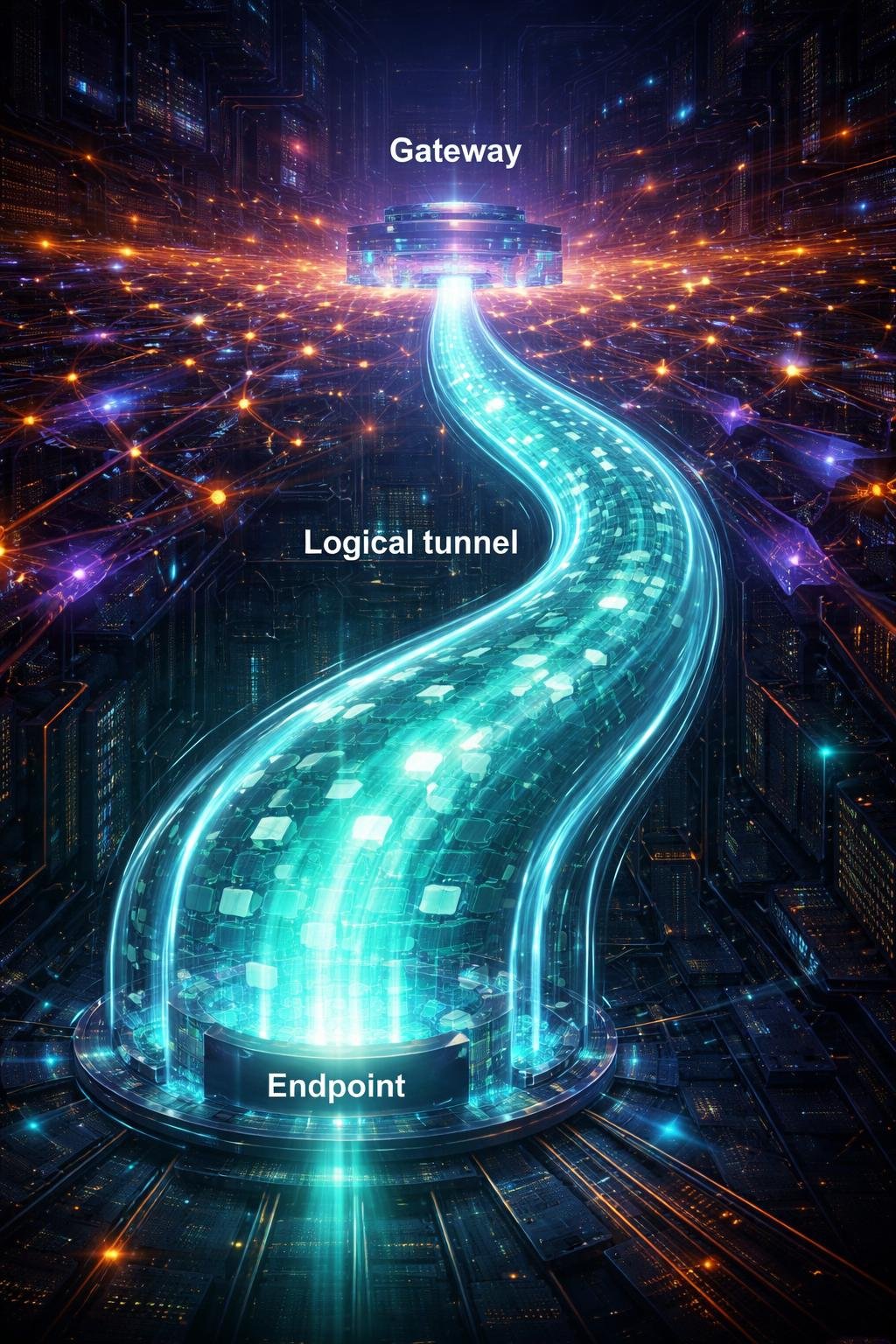
A VPN uses tunneling to carry communication through an existing network. The tunnel is logical: it provides a controlled way for information to travel over the underlying network without creating a new physical line.
VPN connections operate through hosts or gateways. A host is a network-connected system, while a gateway connects or controls communication between network locations. Security controls can be applied at these points, and endpoint address translation may help the logical VPN operate over the existing network. Encryption is often used at hosts or gateways to make the protected communication confidential.
Internet Protocol Security, commonly called IPsec, is an open-standards framework commonly used to create network-layer VPNs. Network-layer protection applies to Internet Protocol communications between network locations or nodes. IPsec is generally configured through the Internet Key Exchange protocol, known as IKE.
Key VPN Components and Protections

The parts of a VPN work together rather than replacing the underlying network. The existing physical or public network carries the communication, while the logical VPN, its endpoints or gateways, tunneling, and security controls provide the protected arrangement.
| Component or protection | Beginner explanation |
|---|---|
| Existing network | The physical or public infrastructure over which the VPN is built. |
| Logical VPN | The restricted-use virtual network created over the existing infrastructure. |
| Hosts or gateways | The systems or network connection points where VPN communication can begin, end, or be controlled. |
| Tunneling | The logical method used to carry VPN communication through the underlying network. |
| Security controls | The protections applied to communication within the VPN arrangement. |
| Confidentiality | Protection intended to keep communicated information from being disclosed to unauthorized parties. |
| Integrity | Protection intended to show whether communicated information has been altered. |
| Data-origin authentication | Protection used to authenticate the origin of communicated data. |
| Replay protection | Protection against the reuse of previously transmitted communication. |
| Access control | Restrictions governing access to the protected communication or network. |
A VPN can include these protections, but the presence of a VPN label alone does not establish that every listed control is provided in a particular configuration.
Everyday VPN Examples
Hypothetical example: communication between two networks. An organization needs to send information between two network locations over the Internet. A logical VPN can connect gateways at those locations and apply security controls to the communication crossing the public network. This illustrates the VPN concept and is not a test of any particular service or configuration.
Hypothetical example: communication between nodes. Two authorized network nodes need to exchange data through existing Internet infrastructure. A VPN can create a restricted-use logical connection between them, potentially using tunneling and encryption at the hosts or gateways. The protections actually present depend on the configuration and must not be assumed from this illustration.
VPN Benefits and Privacy Limitations

Depending on its security controls, a VPN may provide confidentiality, integrity, data-origin authentication, replay protection, and access control for network communication. It can therefore reduce risks associated with carrying sensitive information across public networks.
These benefits have limits. A VPN cannot eliminate all networking risks, and not every VPN necessarily supplies every possible protection. The supplied NIST material establishes communication and network-layer protections but does not establish broader privacy protection.
A secure VPN connection must not be treated as proof of complete privacy or complete safety. Claims about privacy beyond the verified traffic protections require separate evidence about the relevant service, configuration, and circumstances.
Common VPN Misunderstandings
- “A VPN is a private physical line.” A VPN is a logical network built over existing physical or public infrastructure. It can resemble a dedicated connection without being one.
- “Every VPN provides every available protection.” VPN protections can include several security controls, but a particular VPN should not be assumed to include all of them.
- “A VPN removes all networking risk.” VPNs can reduce networking risks, but they cannot eliminate them entirely.
- “A secure VPN proves complete privacy.” The verified network protections do not establish complete or broader privacy.
Understanding these distinctions helps prevent a useful communication control from being mistaken for a guarantee of total protection.
DigiNana Beginner Guide
Hypothetical educational example: DigiNana draws two network gateways with the Internet between them. Instead of drawing a new cable, she draws a logical tunnel over the public network. Data travels through the underlying Internet infrastructure while VPN security controls protect communication between the gateways.
The story illustrates the verified relationship among an existing network, a logical VPN, tunneling, gateways, and security controls. It is not a real security test, an exact technical configuration, or a recommendation for any product or service.
Practical Tips
- Identify which communication between networks or nodes needs protection.
- Consult current official documentation for the VPN framework, service, or configuration being considered.
- Determine which security controls are actually provided instead of assuming that every VPN includes confidentiality, integrity, authentication, replay protection, and access control.
- Check where the VPN begins and ends, including the relevant hosts or gateways.
- Do not interpret the use of a VPN as a guarantee of complete security or privacy.
These steps support careful evaluation without relying on unverified product features, setup instructions, or performance claims.
Safety and Privacy Considerations
The verified sources describe VPN protections for communications at the network layer. They do not establish that a VPN prevents phishing, blocks malware, secures every account, or provides an account-recovery process.
Phishing awareness, malware prevention, account safety, recovery procedures, and broader privacy therefore remain separate considerations. A VPN should not be presented as protection against these additional threats unless current, authoritative documentation establishes the relevant capability.
Software features, service behavior, security conditions, and recommended protections can change. Important details should be checked against current official documentation rather than inferred from the general meaning of VPN.
Frequently Asked Questions
What does VPN mean?
VPN means virtual private network. It is a restricted-use logical network built over an existing physical or public network.
Does a VPN create a physical private line?
No. It can create the impression of a dedicated line, but it operates as a logical network over existing infrastructure.
Does a VPN use encryption?
A VPN often uses encryption at hosts or gateways. However, the protections in a particular configuration should be confirmed through its current official documentation.
What protections can a VPN include?
VPN protections can include confidentiality, integrity, data-origin authentication, replay protection, and access control.
What is IPsec?
IPsec is an open-standards framework commonly used to provide network-layer security and create VPNs. It is generally configured through the Internet Key Exchange protocol.
Does a VPN eliminate all risk?
No. A VPN can reduce networking risks, but it cannot eliminate them entirely or establish complete privacy and safety.
Final Takeaway

A VPN is a logical network built over existing physical or public infrastructure. It can use tunneling, hosts or gateways, endpoint address translation, encryption, and other security controls to protect communication between networks or nodes.
These controls may reduce risks and provide protections such as confidentiality and integrity. They do not eliminate every networking risk, and verified traffic protection must not be confused with an unverified promise of complete privacy.
References
- Guide to IPsec VPNs | NIST
- Guide to IPsec VPNs: Recommendations of the National Institute of Standards and Technology | NIST
- virtual private network (VPN) – Glossary | CSRC
These verified NIST sources support the definitions and network-protection explanations used in this article.
Image Credits
The five DigiNana Wiki visuals accompanying this article are original educational illustrations created with AI assistance. They are conceptual and must not be interpreted as verified photographs, exact software interfaces, actual device specifications, or guaranteed technical configurations.
Disclaimer
This article provides educational information only. Security threats, technical information, software interfaces, product features, protective measures, service behavior, and service availability can change over time. No method guarantees complete protection. Verify important security and configuration details using current official documentation before relying on them.