Introduction
To understand what is an AI agent, imagine a digital system that can receive a goal, interpret instructions, use approved information or tools, and coordinate several steps before returning a result. Unlike a model that only produces a direct response, an agent can be organized as a broader workflow for completing a defined task.
AI agents are relevant because many digital tasks involve more than generating text. A task may require retrieving facts, querying a database, calling an external service, calculating a value, checking a result, or delegating part of the work to a specialist agent. Whether an agent can perform these actions depends on its instructions, available tools, accessible data, controls, and runtime environment.
What Is an AI Agent?
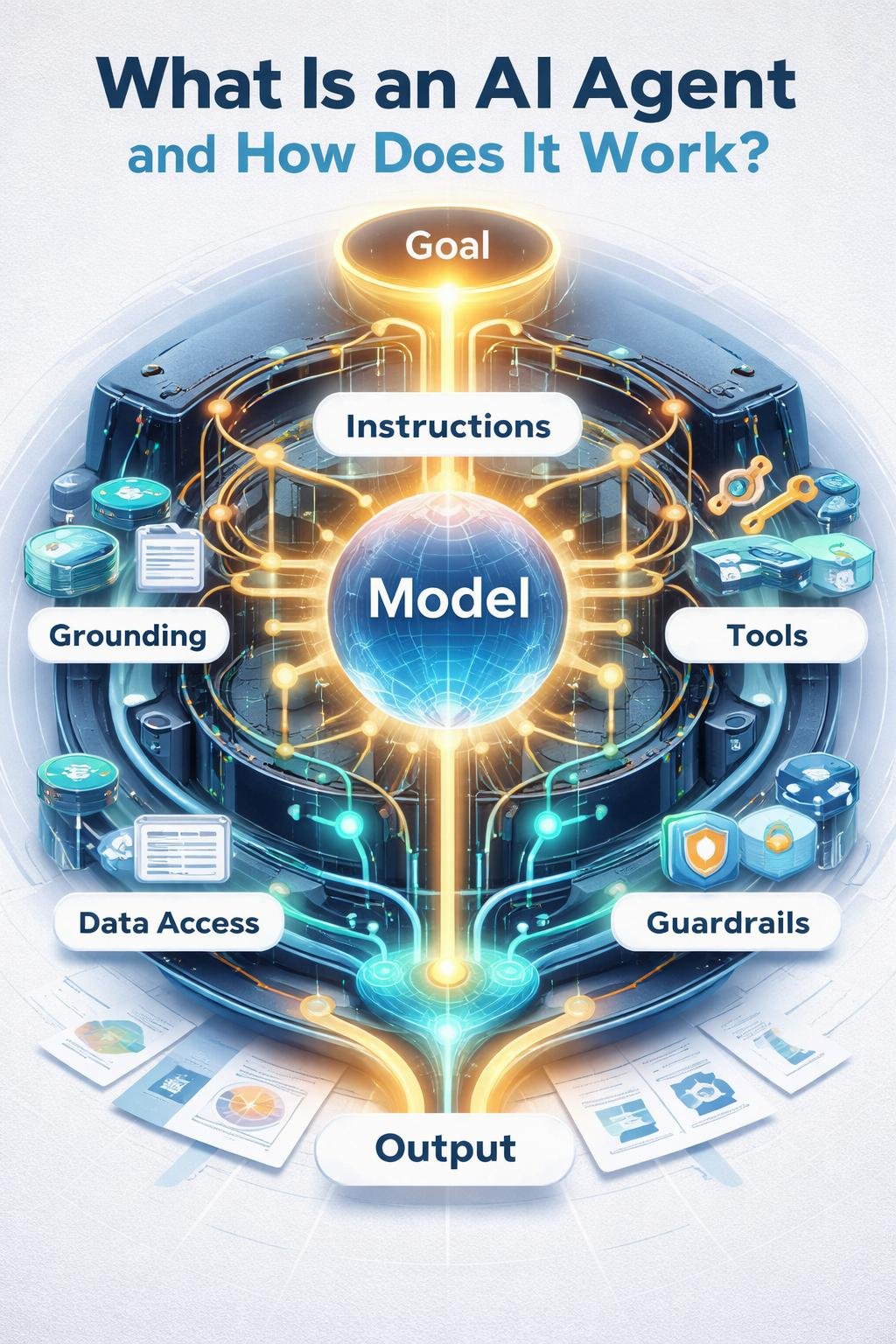
An AI agent is a workflow unit that combines an AI model with instructions. It can also include optional tools, guardrails, handoffs, structured outputs, retrieval systems, and other supporting components.
The model and the agent are not the same thing. The AI model interprets a request and reasons about what should happen. The agent system surrounds that model with instructions, data access, tools, orchestration, and runtime controls that help it pursue a specific goal.
An AI product may contain one agent, several agents, or no agent-style workflow at all. The product is the complete application or service presented to a user, while the model is one technical component and the agent is an organized unit of work within the broader system.
Why AI Agents Matter
A model can generate a response from the information available in its current input and context. An agent can extend this process by retrieving approved information, invoking tools, interacting with connected systems, and using the results in later steps.
This structure is useful when a goal requires coordinated actions. For example, an agent may assess a request, retrieve relevant records, call a calculation tool, observe the result, and format the answer according to a required output structure.
Agent capabilities should not be confused with unlimited autonomy. An agent can only use the tools, facts, permissions, and workflows made available to it. Multi-step operation also does not guarantee that every step will be appropriate or that the final goal will be achieved.
How an AI Agent Works
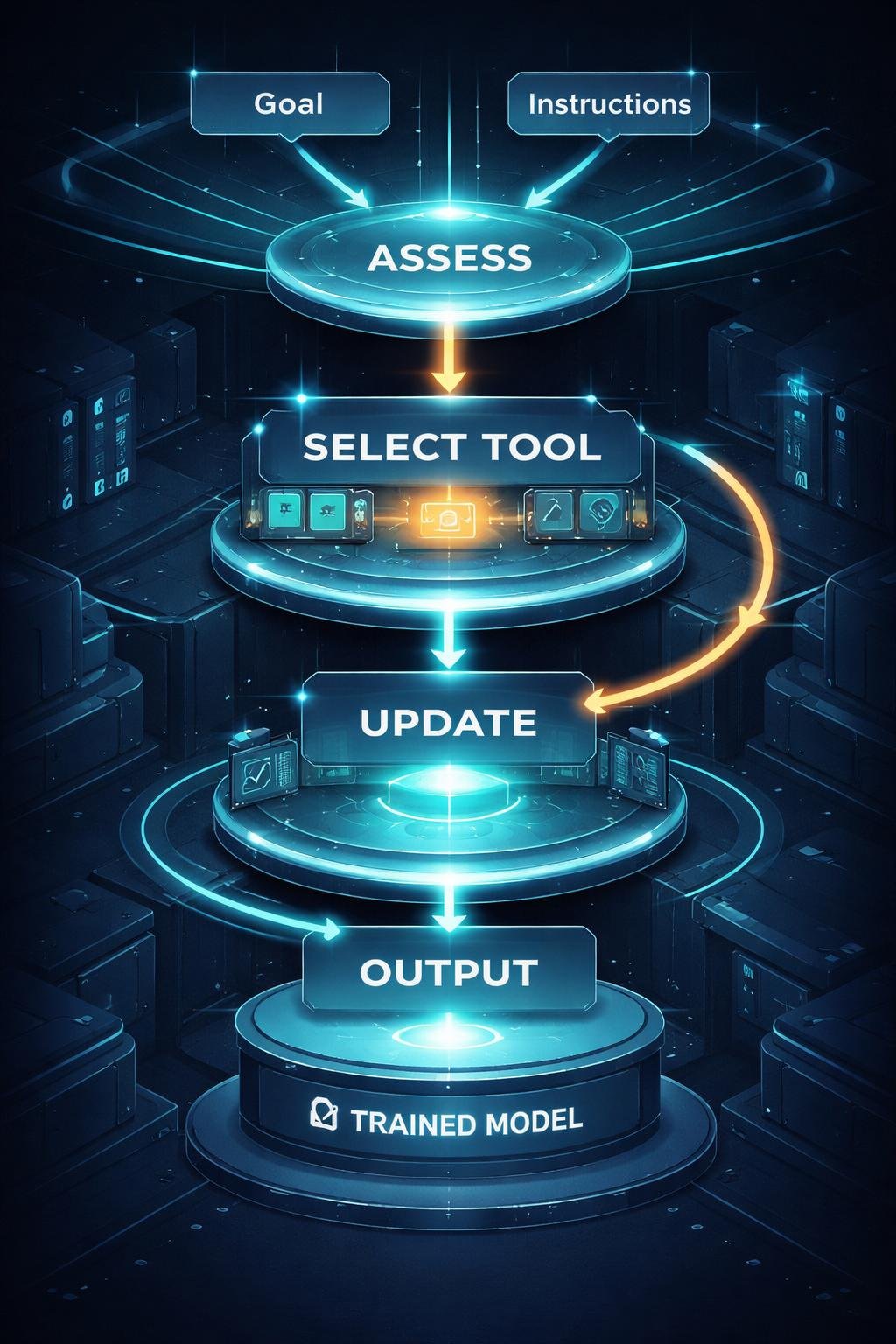
The supplied technical sources primarily describe how an agent operates at runtime. A typical runtime process can be understood as the following sequence:
- Receive a goal: The agent receives a request together with instructions, constraints, and relevant input.
- Interpret the request: The model assesses what the request means and what needs to happen.
- Assess the current state: The workflow considers the information already available, the work completed so far, and what remains unresolved.
- Select an action: The orchestration process may select an approved tool, retrieval source, database, knowledge base, or specialist agent.
- Invoke the selected capability: The agent sends the necessary input to that capability within the configured workflow.
- Observe the result: The agent receives the tool output or retrieved information.
- Update subsequent reasoning: The result becomes part of the working context used to decide the next step.
- Produce an output: The workflow returns a final response or a structured result when its stopping condition is reached.
Training and inference are different stages. Training occurs before ordinary runtime use and is part of creating or adapting a model. Inference is the stage in which a model processes an input during use. Agent orchestration happens around runtime inference by supplying instructions, context, tool results, and subsequent actions. The verified sources used here do not specify how a particular model was trained or what training data it used.
Key Components of an AI Agent
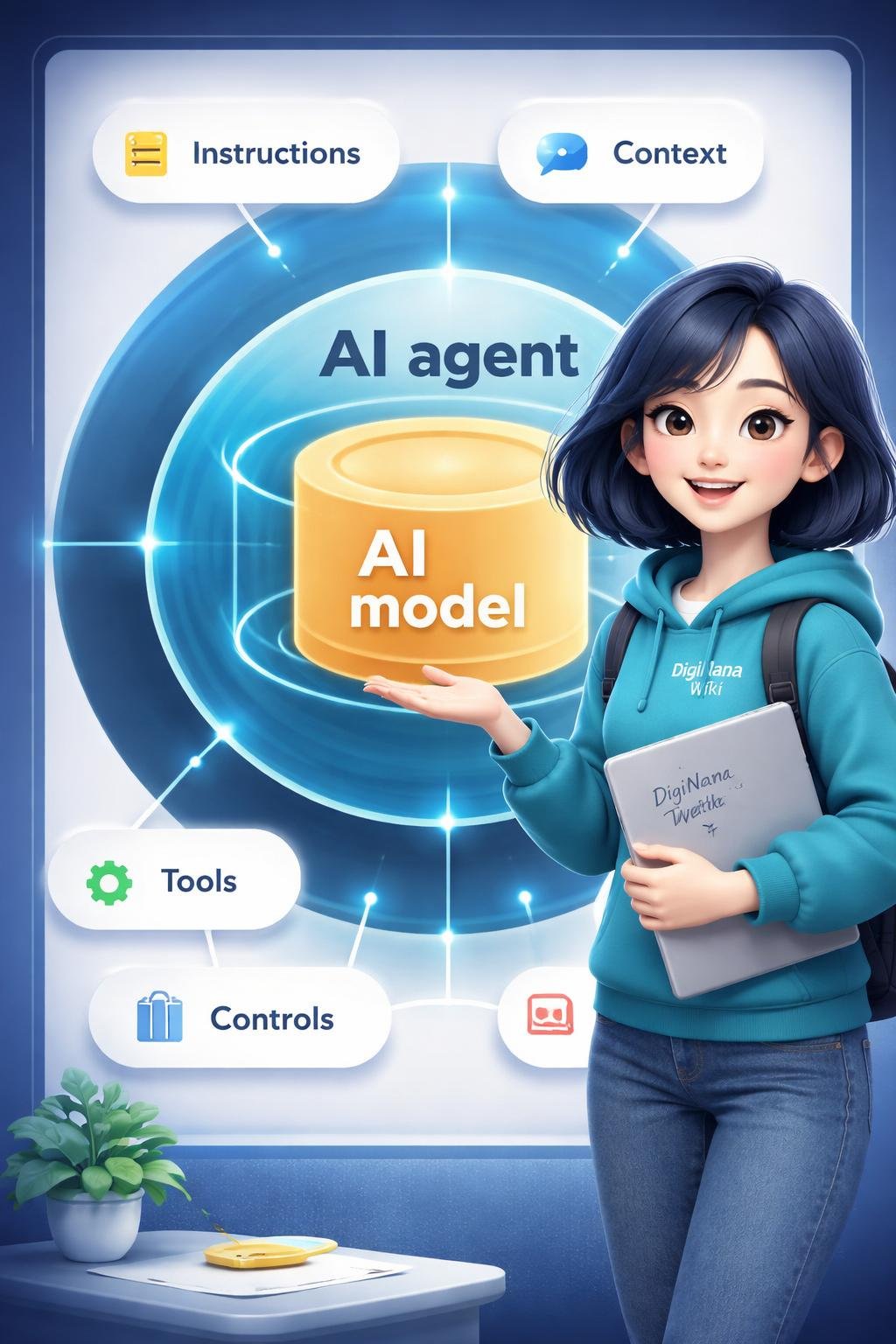
| Component | Role in the agent system |
|---|---|
| Reasoning model | Interprets requests and determines what should happen within the workflow. |
| Instructions | Define the agent’s job, constraints, expected style, and permitted behavior. |
| Grounding | Connects the agent to retrievable, verifiable, or current information rather than relying only on the model’s existing context. |
| Tools | Extend available capabilities through functions, calculations, external application programming interfaces, database queries, knowledge-base retrieval, or collaboration with specialist agents. |
| Data architecture | Organizes long-term knowledge, short-term working context, and transactional records that can support auditing. |
| Orchestration | Assesses the goal and current state, selects actions, invokes tools in sequence, observes outputs, and incorporates results into later steps. |
| Runtime infrastructure | Provides the environment in which the workflow executes and supports reliable, observable, and controlled operation. |
| Guardrails | Apply configured controls or restrictions to the workflow. |
| Handoffs | Delegate work from one agent to another when a specialist has different instructions, tools, models, approval policies, or output requirements. |
| Local context | Keeps runtime-only resources, such as user information, database clients, or loggers, available to application code without automatically placing all of them in model instructions. |
| Structured outputs | Require results to follow a defined type or format when the workflow needs predictable fields. |
These components work together rather than operating as interchangeable parts. Grounding supplies relevant information, tools perform permitted actions, orchestration manages the sequence, and the runtime environment executes and observes the workflow.
Everyday Examples of AI Agents
The following examples are hypothetical educational illustrations. They are not verified product tests and do not describe guaranteed features of any particular service.
Retrieving Approved Information
A hypothetical workplace agent receives a question about an internal procedure. It searches an approved knowledge base, retrieves relevant material, and uses that material to prepare an answer. The retrieval step grounds the response in information accessible to the system.
Querying a Database
A hypothetical support agent receives an authorized request for an order status. It sends an appropriate query to a connected database, observes the returned record, and places selected fields into a structured response. This would require suitable access controls and an approved database connection.
Calling an External Service
A hypothetical scheduling agent receives a request to identify an available appointment. It calls an approved external application programming interface, evaluates the returned options, and presents the available choices. The example does not imply that the agent can make unrestricted changes to the external service.
Calculating a Result
A hypothetical planning agent retrieves supplied figures and passes them to a calculation function. It then incorporates the calculated result into a response instead of asking the language model to perform every operation unaided.
Delegating Specialized Work
A hypothetical main agent determines that part of a task needs different instructions or tools. It hands that part to a specialist agent, receives the specialist’s result, and integrates it into the final output.
Benefits and Limitations
Potential Benefits
- Tool use: Agents can call configured functions, services, databases, and retrieval systems.
- Grounding: Retrieval can connect a response to information made available by an approved source.
- Multi-step coordination: Orchestration can organize a sequence of actions and incorporate each result into later reasoning.
- Delegation: Handoffs can direct specialized work to another agent with different instructions or capabilities.
- Structured results: Defined output types can make results easier for another system to process.
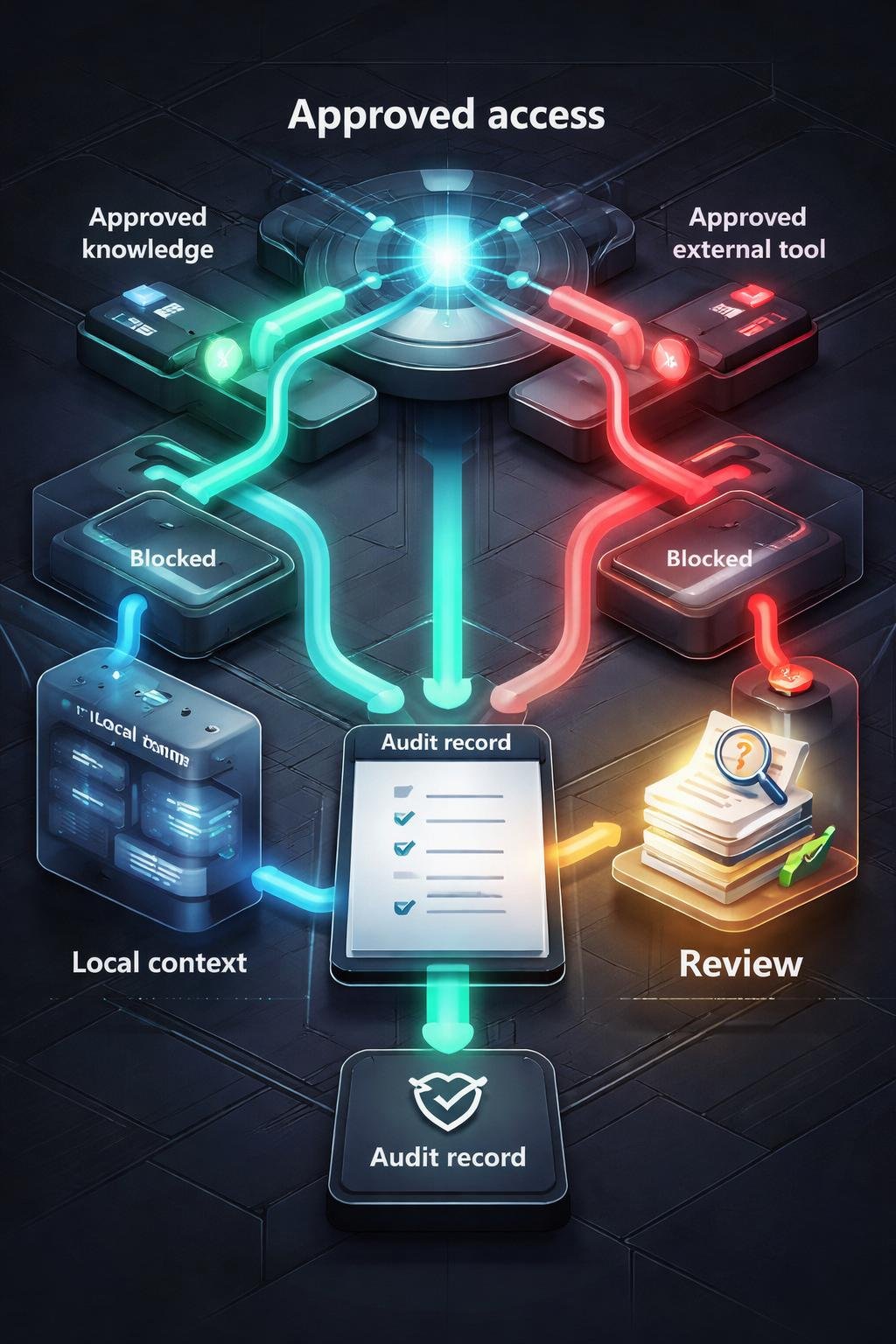
- Audit support: Transactional records can provide a record of actions and workflow events when the system is configured to maintain them.
Important Limitations
- An agent depends on the quality and clarity of its goal, instructions, and constraints.
- It does not automatically know facts that were not supplied through instructions, input, retrieval, or tools.
- It can only invoke capabilities that the system makes available and permits it to use.
- A tool may return incomplete, unsuitable, or unsuccessful results that affect later steps.
- Guardrails and orchestration guide behavior but do not guarantee a correct outcome.
- Multi-step workflows can propagate an error from one stage into later stages.
- An agent’s output should not be assumed to be accurate merely because the workflow used several tools or agents.
The practical value of an agent therefore depends on the design of the entire system, not only on the underlying model.
Common Misunderstandings About AI Agents
“An agent is just another name for an AI model.”
A model is a component that interprets input and generates output. An agent is a broader workflow unit that combines a model and instructions with optional tools, guardrails, handoffs, and structured outputs.
“Every chatbot is necessarily an agent.”
A conversational interface does not by itself establish that an agent workflow is present. A chatbot might only pass messages to a model, while an agent may include tool selection, retrieval, orchestration, and multi-step state.
“An agent can access any information or system.”
An agent’s access depends on what the surrounding application provides and permits. It cannot automatically use a database, knowledge base, external service, or private record that has not been connected and authorized.
“Grounding and tools are the same thing.”
Grounding connects the agent to relevant information that can support its response. Tools extend what the agent can do, such as calculating a result, calling an external interface, or querying a database. Retrieval may be implemented through a tool, but the concepts describe different roles.
“A useful agent always needs several specialist agents.”
A multi-agent design is not always required. Official implementation guidance recommends starting with one focused agent for a clear task and adding specialists when different tools, instructions, models, guardrails, approval policies, or output types justify the separation.
DigiNana Beginner Guide
The following DigiNana scenario is a fictional educational example, not a real system test or product claim.
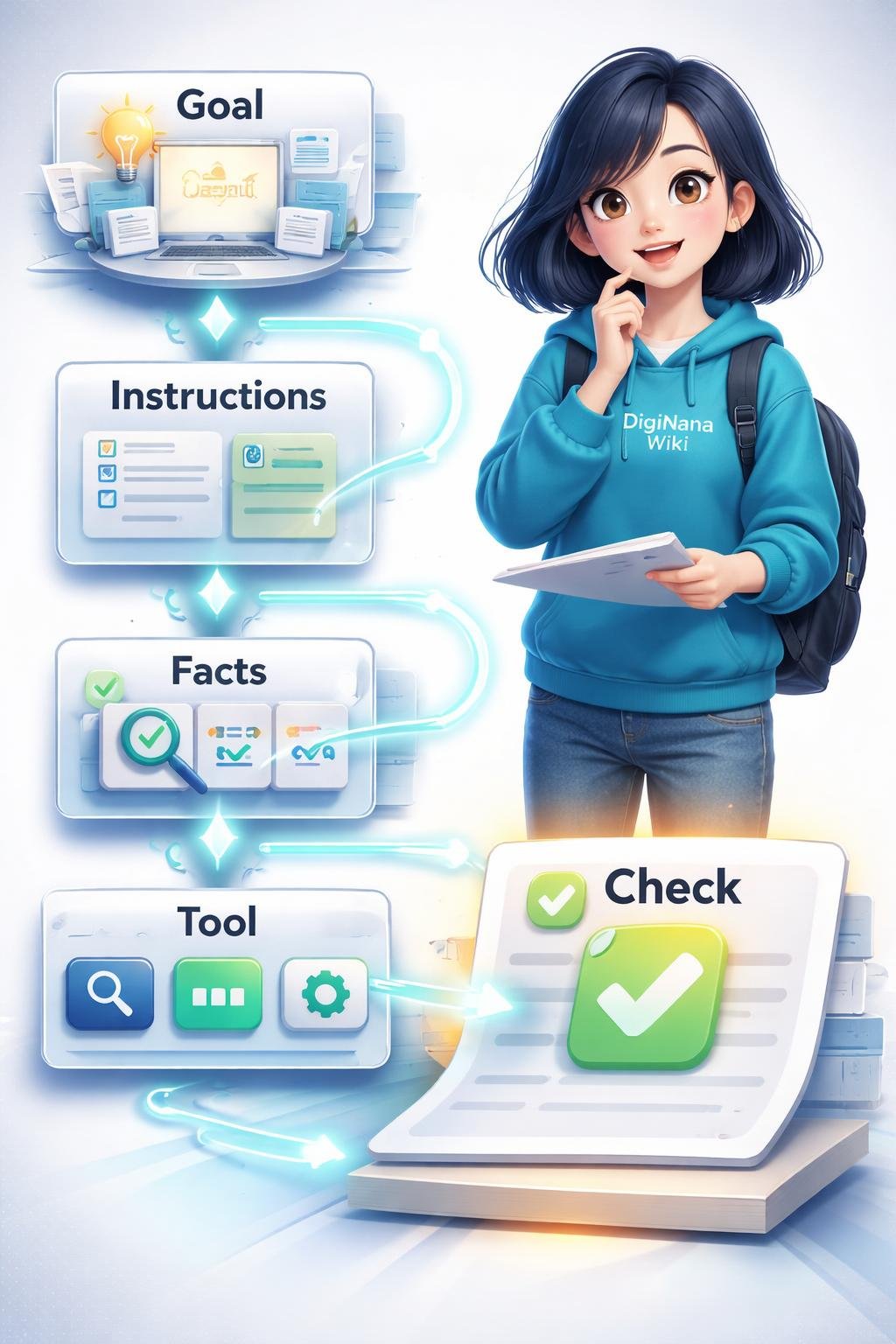
DigiNana wants a hypothetical agent to prepare a simple summary from an approved community knowledge base. She organizes the task as follows:
- Define the goal: Produce a short summary of a selected community procedure.
- Set instructions and constraints: Use only the approved knowledge base, keep the answer concise, and state when the necessary information cannot be found.
- Supply relevant facts: Give the agent the topic name and access to the relevant retrieval source instead of expecting it to know the procedure automatically.
- Select an approved tool: Allow the agent to use the knowledge-base retrieval tool, but do not provide unrelated tools.
- Observe the result: Review the material returned by the retrieval tool before it is incorporated into the summary.
- Check the final output: Compare the summary with the retrieved material and confirm that required details were not changed or omitted.
The technical lesson is that the agent is not working from a goal alone. Its behavior depends on instructions, supplied facts, available tools, retrieved results, and a final review process.
Practical Tips
- Start with one focused agent: Give it a clear task before considering a more complex multi-agent design.
- Write explicit instructions: Define the job, boundaries, expected style, and conditions under which the agent should stop or request help.
- Provide necessary facts: Supply facts through the input, instructions, retrieval process, or an appropriate tool.
- Limit tool access: Connect only the capabilities relevant to the task and apply suitable controls around their use.
- Use structured outputs when appropriate: Defined fields can help another application process the result consistently.
- Add specialists for a reason: Consider separate agents when a task genuinely requires different tools, instructions, models, guardrails, approval policies, or output types.
- Review important results: Check factual claims, retrieved records, calculations, and requested actions before relying on them.
- Keep a usable record: Where appropriate, transactional records can help reviewers understand what the workflow did.
A simple, bounded workflow is usually easier for a beginner to understand, test, and review than an unnecessarily complicated collection of agents.
Safety, Privacy, and Responsible Use
Guardrails can apply configured restrictions, while controlled tool access can limit which capabilities an agent is able to invoke. Runtime infrastructure can support observable execution, and transactional records can help authorized reviewers examine actions taken during a workflow. These measures support oversight but do not eliminate risk.
Not every piece of runtime information needs to be inserted into model instructions. User information, database clients, loggers, and similar runtime-only resources can remain in local application context. Keeping data local when the model does not need it can reduce unnecessary exposure within model input, although privacy still depends on the complete system design and operating conditions.
Accuracy requires continued attention. Grounding can provide relevant source material, but it does not prove that every final statement is correct. A mistaken interpretation, unsuitable tool result, or earlier workflow error can affect later output. Important results should therefore be compared with the relevant records or authoritative information.
Agent-generated material should also be reviewed before it is distributed as factual information. Without suitable checks, inaccurate content could contribute to misinformation. Reviewers should watch for unsupported conclusions and consider whether the supplied information, instructions, or workflow could produce unfair or biased outcomes.
Responsible use means matching access to the task, protecting sensitive information, recording actions when appropriate, and maintaining human review for consequential outputs. Guardrails should not be treated as a guarantee that an agent will always be accurate, unbiased, secure, or privacy-preserving.
Frequently Asked Questions
What is the difference between an AI agent and an AI model?
An AI model interprets input and generates output. An AI agent is a workflow unit that combines a model and instructions with optional elements such as tools, retrieval, guardrails, handoffs, and structured outputs.
Does an AI agent require tools?
No. Tools are optional in the supplied agent definition. However, tools are what allow an agent to extend beyond the model’s native abilities by invoking functions, querying connected information, or interacting with approved external systems.
How do goals and instructions guide an agent?
The goal states what the workflow is intended to accomplish. Instructions define the agent’s job, constraints, and style, helping the model determine which actions fit the task.
What does grounding do?
Grounding connects the agent to retrievable and verifiable information. This can give the workflow relevant facts that are not already present in the immediate request.
How does an agent use data?
An agent may receive facts through its input or instructions, retrieve information from a database or knowledge base, maintain short-term working context, use long-term knowledge, and create transactional records. The exact data available depends on the system configuration.
What does orchestration mean?
Orchestration is the process that coordinates multi-step work. It assesses the goal and current state, selects tools or actions, observes their outputs, and incorporates the results into subsequent reasoning.
When are specialist agents useful?
Specialists may be useful when part of a workflow requires different instructions, tools, models, guardrails, approval policies, or output types. They should be added because the task requires that separation, not merely to make the design more complex.
Can an AI agent’s output be assumed correct?
No. Agent output depends on instructions, accessible facts, retrieval results, tools, orchestration, and runtime conditions. Important outputs still require suitable checking.
Final Takeaway
An AI agent combines a model and instructions with supporting elements that may include grounding, tools, data architecture, orchestration, guardrails, handoffs, structured outputs, and runtime infrastructure. Together, these components allow the system to pursue a defined task through one or more coordinated steps.
An agent’s capability depends on the design of the complete workflow and the information and permissions available to it. Tool use and multi-step reasoning do not guarantee success, so important outputs and actions should receive appropriate review.
References
- Core concepts of AI agents | Google Cloud — https://cloud.google.com/resources/core-concepts-ai-agents?trk=article-ssr-frontend-pulse_little-text-block
- Core concepts of AI agents | Google Cloud — https://cloud.google.com/resources/core-concepts-ai-agents
- Agent definitions | OpenAI API — https://developers.openai.com/api/docs/guides/agents/define-agents
These entries reproduce the supplied verified source titles and URLs.
Image Credits
The five DigiNana Wiki visuals associated with this article are original educational illustrations created with AI assistance. They are conceptual visuals and must not be interpreted as verified photographs, exact software interfaces, actual device specifications, or guaranteed technical configurations.
Disclaimer
This article provides educational information about AI agent concepts. Technical information, software interfaces, product features, security conditions, and service availability can change. Verify important, operational, or current details using the latest official documentation for the relevant technology or service.